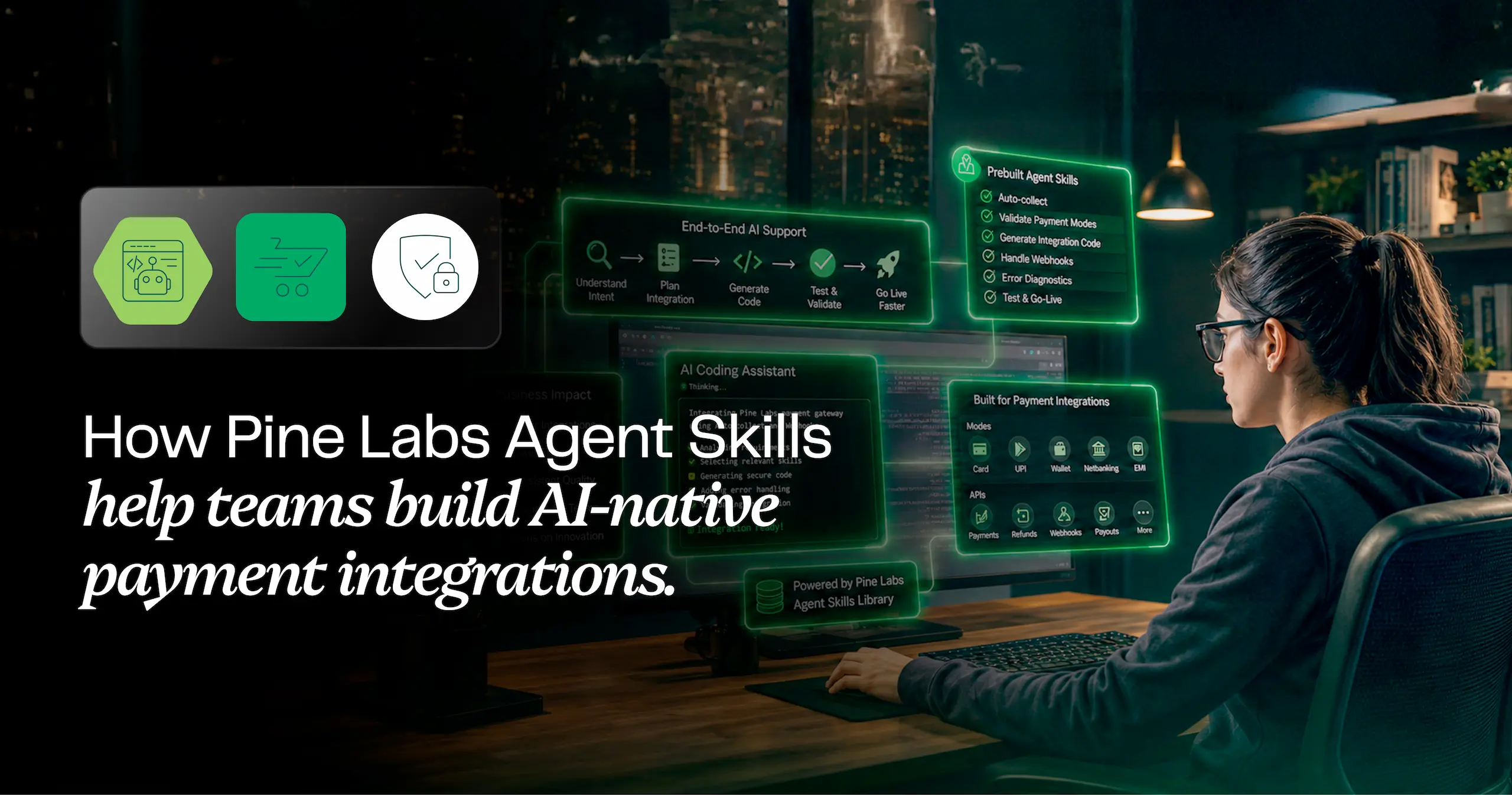
AI makes coding faster. Pine Labs Agent Skills make payment integrations smarter.
When a developer builds a checkout, a webhook handler, or a refund flow, the hard part is rarely syntax. It’s knowing which API comes first, which fields are mandatory, what must be verified on the server, which retries are safe, and what should never be trusted from the frontend. Generic assistants don’t carry that context.
Pine Labs Agent Skills close that gap. They bring Pine Labs payment knowledge into the coding assistant a developer already uses, so the guidance follows real payment flows.
An installable knowledge layer
Pine Labs Agent Skills provide an installable knowledge layer that brings Pine Labs-specific payment integration guidance directly into AI coding assistants. Developers can use this context to build, troubleshoot, and review Pine Labs Online payment integrations without repeatedly switching between their coding environment and API documentation.
With a single command, developers can install Agent Skills covering payment API and integration skill areas, including:
- Getting Started Skills – Set up and start integrating with Pine Labs Online
- Payments Skills – Build and manage payment flows and payment APIs
- Web & Mobile SDK Skills – Integrate Pine Labs Online across Web and Mobile applications
- Settlements Skills – Work with settlement-related flows and configurations
- Subscriptions Skills – Build recurring payment and subscription journeys
- P3P Skills – Integrate using the Pine Labs Payment Protocol (P3P)
- Workflow Skills – Implement common payment and integration workflows
- Validation & Test Guides – Validate integrations and test payment flows
- Migration Guides – Migrate existing integrations and adopt Pine Labs capabilities
The package supports 9 assistant frameworks:
VS Code Copilot, Cursor, Claude Code, Gemini CLI, OpenCode, Kiro, GitHub Copilot CLI, OpenAI Codex CLI, and Antigravity.





Teams don’t have to standardise on a single assistant before they start. Whatever a developer already codes in, the same Pine Labs context is available there.
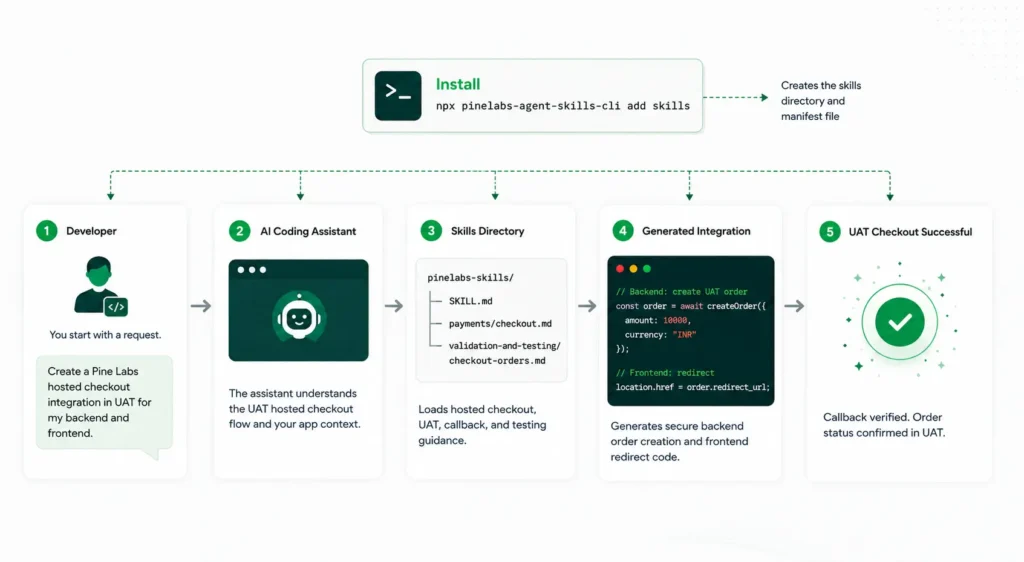
From Developer prompt to live payment experience
Pine Labs Online Agent Skills flow – from intent to integration to payment success.
What goes wrong without payment context ?
Ask a generic assistant to handle a payment webhook and it will usually write a handler that parses the payload and updates the order. The code compiles, the demo works, and the endpoint will happily accept a forged request, because nothing verified the signature.
With the webhook skill installed, the same prompt produces a handler that verifies the signature before processing anything, confirms the payment outcome from the server-side API rather than trusting the payload, and treats duplicate deliveries as duplicates.
The same discipline runs through the rest of the skills. Merchant credentials stay on the server. Refund and payout flows reuse idempotency keys, so a retried call can’t move money twice. Development starts in UAT, and go-live gets checked against trusted server-side sources. These are exactly the mistakes that surface after a team believes the integration is done, in checkout performance, support escalations, or a reconciliation report.
What teams get?
- Faster onboarding for developers new to payments
- Better first-pass accuracy on payment workflows, with less time lost switching between docs, dashboards and reference payloads
- Fewer repeat support questions on common integration issues
- Consistent implementation standards across teams and projects
Getting started
Run the following npm command from your project root to install the Pine Labs payment skills:
npx pinelabs-agent-skills-cli add skills
Framework-specific installation paths are also available for teams that want to target a specific AI coding assistant.
Explore the Pine Labs Agent Skills npm package for the full skill list and setup guide, and visit the Pine Labs Online Developer Docs for detailed API and integration guidance.
Start building with Pine Labs Agent Skills today—use AI-assisted, Pine Labs-aware guidance to build, test, and integrate payment experiences with confidence.