
How it Works
Understand how Apple Pay payment authorization works with Pine Labs.
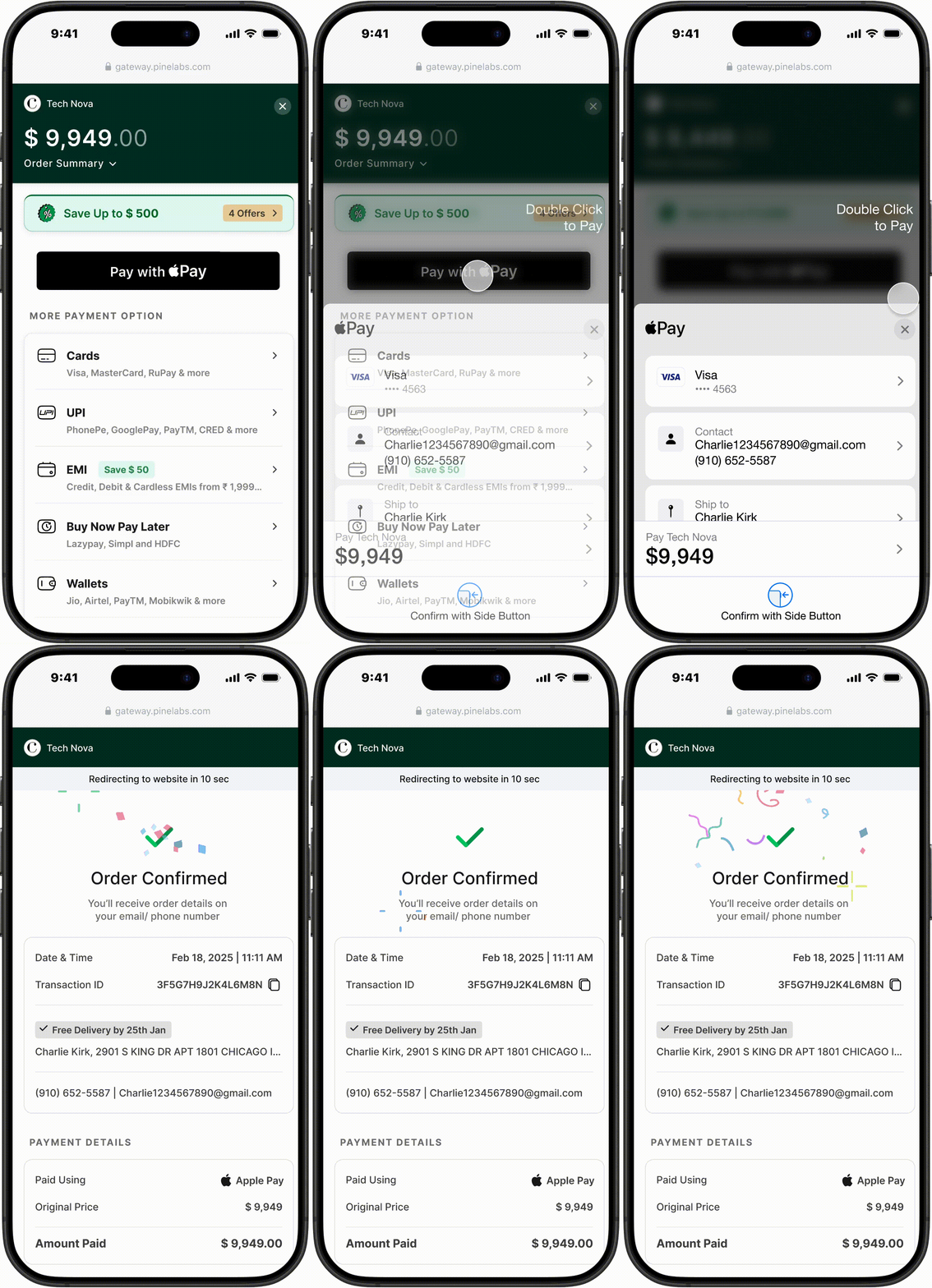
Apple Pay payment flow
- Customer Selects Apple Pay at Checkout : The Apple Pay button appears only if the payment method is supported in the customer’s region and they have at least one card added to Apple Wallet.
- Apple Pay Displays Available Cards : The customer sees their default card along with any additional cards stored in Apple Pay. They can choose the card they wish to use.
- Customer Authenticates the Payment : The customer authenticates the transaction using Face ID, Touch ID, or by double-clicking the side button.
- Payment is Completed Instantly : After successful authentication, the payment is processed immediately, and the customer is redirected back to your website or app with a confirmation message.
📘 For Non-Safari Browsers:
- If the customer is not using Safari, a QR code will be displayed. They can scan this code with an Apple device to complete the payment through Apple Pay.