
Track Merchant Settlements via Dashboard
Track settlement batches, reconcile payments, and understand when funds reach your bank account.
You can easily track your settlements in this section, which offers a detailed view of your financial transactions. It also provides a clear breakdown of Today’s Settlements (successfully settled) and Yet to be Settled (Pending for settlement), helping you efficiently monitor and manage your settlements.
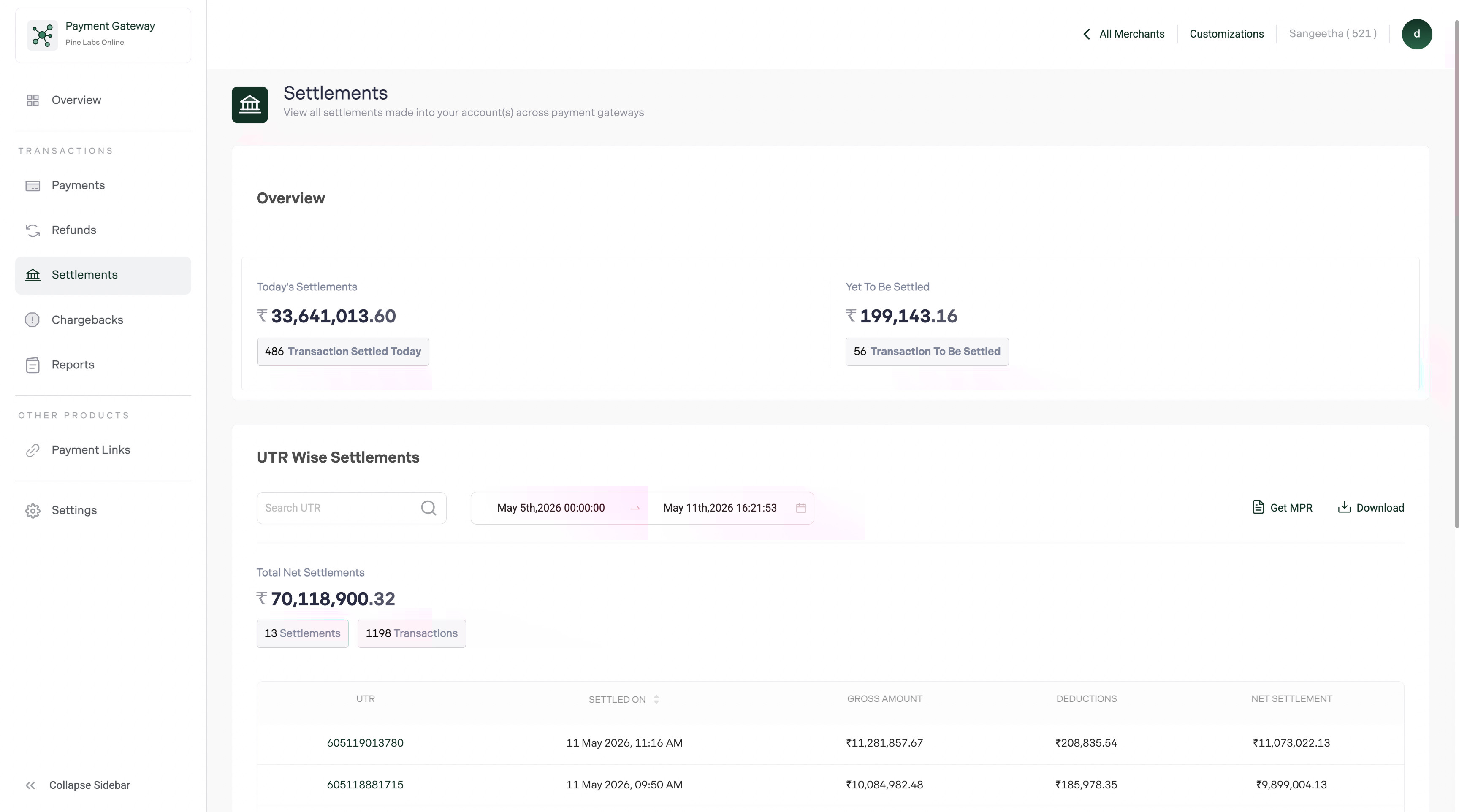
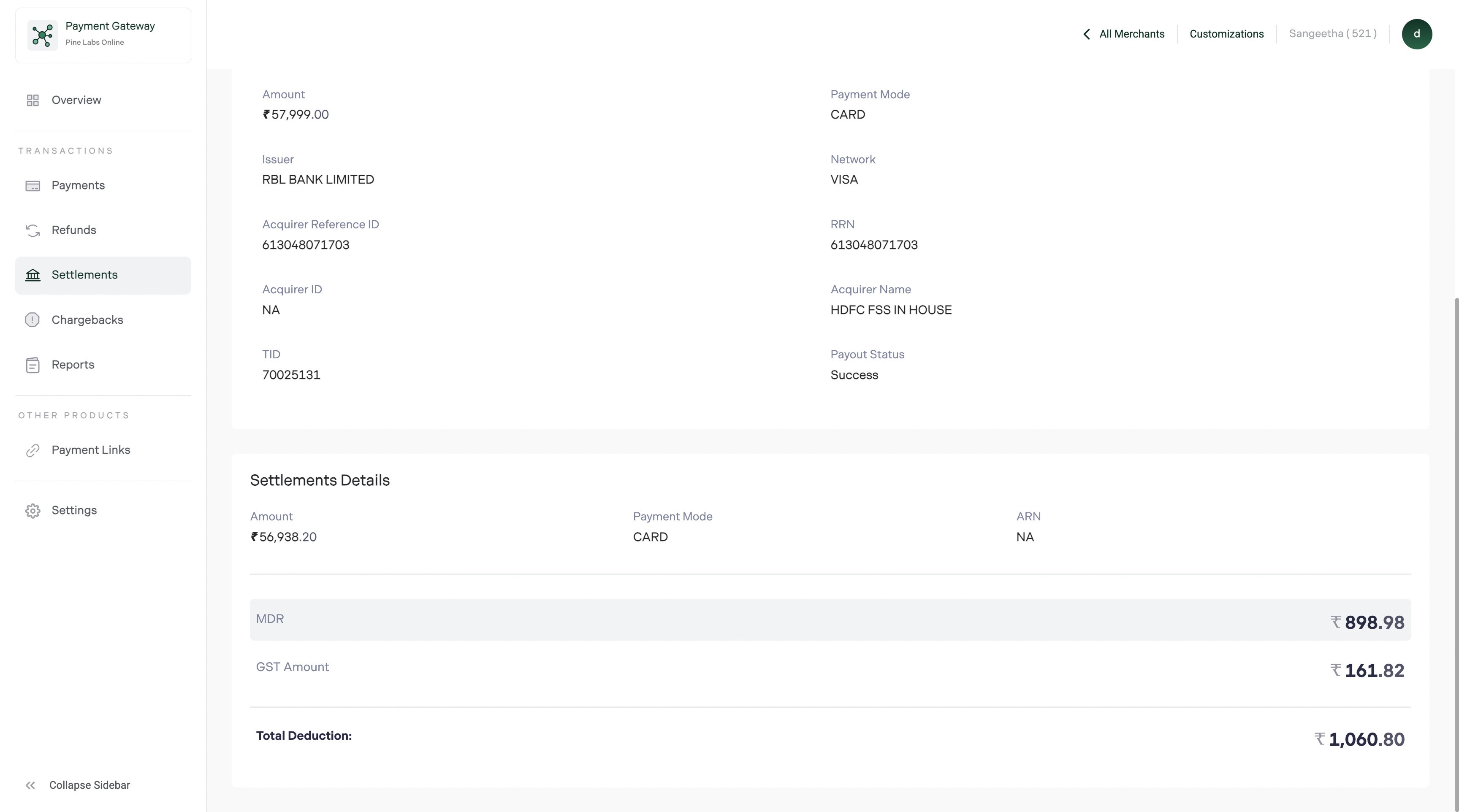
Merchants can click on a specific Settlement ID or UTR Number to view a deeper breakdown of their settlement details. The settlement details include the transaction details and timelines listed below:
- Transaction Details: Each settlement provides detailed transaction data, including the Transaction ID, Date, Amount, and Status.
- Timeline: Merchants can view the settlement timeline, including initiation, expected completion, and status of the settlement.
How settlements work
After a payment is captured, the funds don't reach your bank instantly. Pine Labs batches captured payments into settlement cycles and transfers the net amount to your registered bank account.
Settlement timing
| Schedule | Description |
|---|---|
| T+1 | Funds settled next business day after capture |
| T+45 | Custom schedule based on your agreement with Pine Labs |
Note: Settlement schedules are configured during merchant onboarding. Contact your account manager to adjust your schedule.
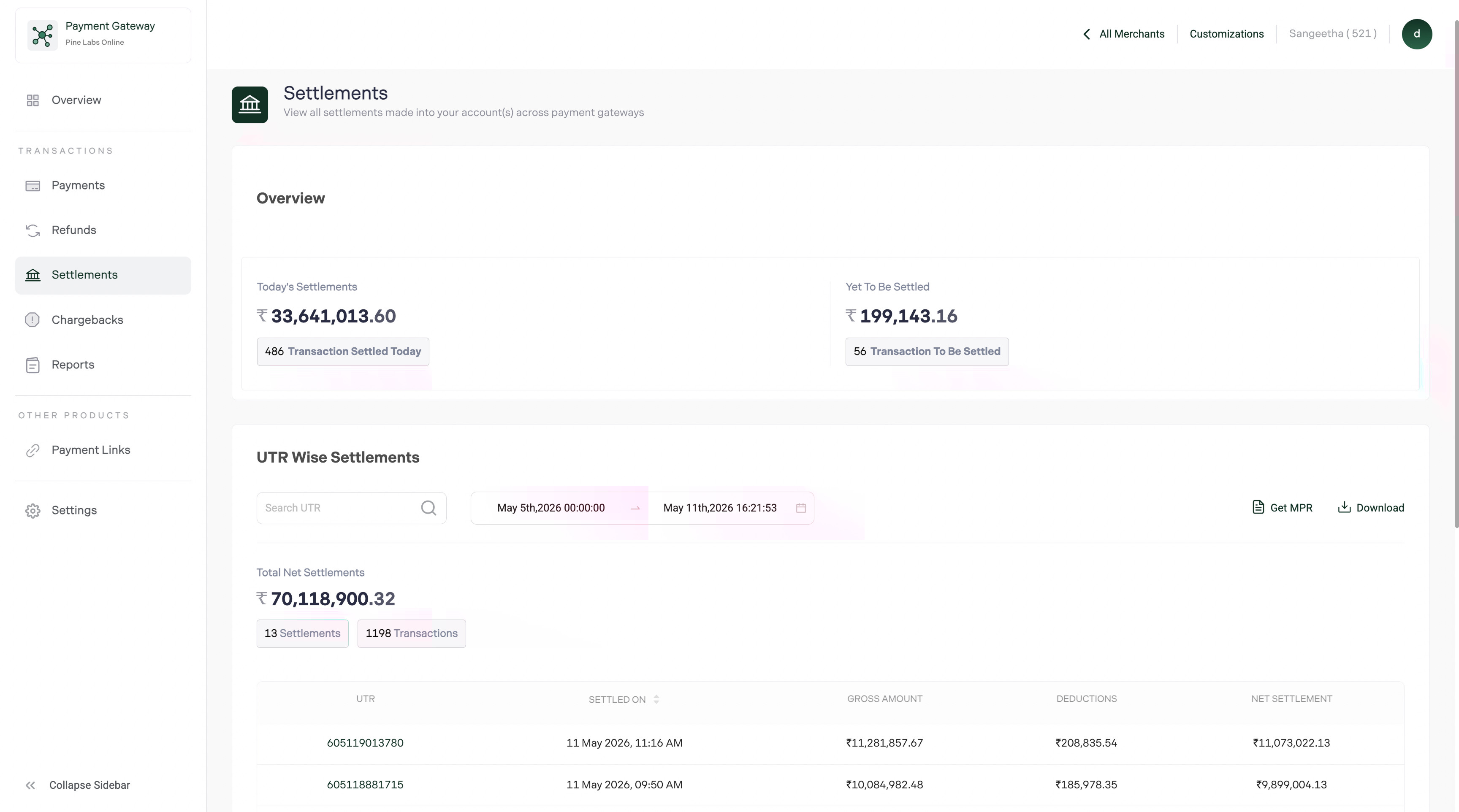
Settlement list view
Each row represents a settlement batch:
| Column | Description |
|---|---|
| Settlement ID | Unique identifier for the settlement batch |
| Settlement Date | When the funds were transferred |
| Gross Amount | Total captured amount before deductions |
| Deductions | TDR (Transaction Discount Rate) fees + refunds + chargebacks |
| Net Amount | Final amount credited to your bank |
| UTR Number | Unique Transaction Reference from the bank — use this for bank reconciliation |
| Status | Settled, Pending, On Hold |
| Transaction Count | Number of payments included in this settlement |
Settlement statuses
| Status | Meaning |
|---|---|
| Settled | Funds transferred to your bank account |
| Pending | Settlement is being processed, funds will be transferred soon |
| On Hold | Settlement is held — usually due to account verification or risk review |
Search and filter settlements
Quick search
- UTR Number — Bank reference for matching with your bank statement
- Settlement ID — Pine Labs settlement identifier
Advanced filters
| Filter | Options |
|---|---|
| Date range | Specific settlement date range |
| Status | Settled, Pending, On Hold |
| Amount range | Minimum and maximum net settlement amount |
Export settlement reports
- Apply date range and status filters
- Click Export → choose CSV or Excel
- The report downloads with full settlement details
Export fields
| Field | Description |
|---|---|
| Settlement ID | Unique batch identifier |
| Settlement Date | Transfer date |
| Gross Amount | Total captured before deductions |
| TDR / MDR | Transaction fees |
| GST | GST on fees |
| Refunds | Refund deductions |
| Chargebacks | Chargeback deductions |
| Net Amount | Final credited amount |
| UTR Number | Bank reference number |
| Status | Settlement status |
| Transaction Count | Number of payments in the batch |
For transaction-level settlement exports, open a settlement detail and export from there to get per-transaction fee breakdowns.
Settlements via API
| Dashboard action | API equivalent | Reference |
|---|---|---|
| View all settlements | GET /api/pay/v1/settlements | Get All Settlements |
| View by UTR | GET /api/pay/v1/settlements?utr={utr} | Get Settlements by UTR |
→ See Settlements — Overview for full API details
FAQs
Why is my settlement amount less than the total payments?
Settlements reflect the net amount after deducting TDR fees, GST, refunds, and chargebacks. Review the settlement detail breakdown to see each deduction line item.
What does "On Hold" mean?
A settlement may be placed on hold for compliance checks, risk review, or documentation requirements. Contact your account manager or pgsupport@pinelabs.com to resolve.
Why don't I see a settlement for today's payments?
Payments captured today are typically settled on T+1 or T+2 (next 1–2 business days). Settlements don't occur on bank holidays or Sundays.
How do I reconcile when a refund reduces my settlement?
Refund amounts are deducted from the settlement batch they fall into. In the settlement detail, the Refunds line item shows the total deducted. Cross-reference with the Refunds section for individual refund details.
Can I change my settlement bank account?
Yes. Go to Settings → Bank Account to update your settlement bank details. Changes require re-verification and may take 2–3 business days to take effect.