
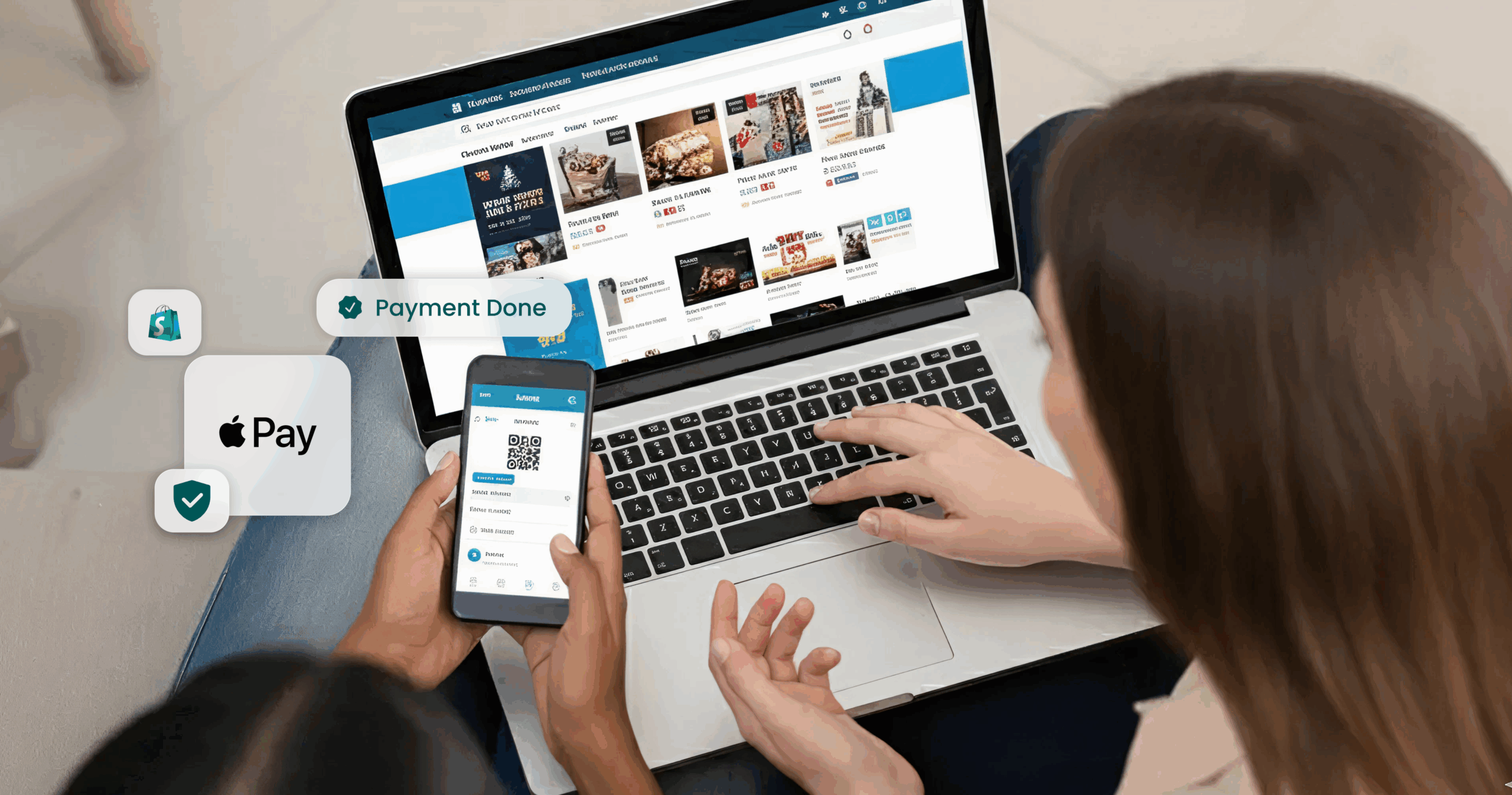
When an international customer attempts to purchase from an Indian merchant website, the payment system itself usually works perfectly. The payment processing infrastructure is robust, the security protocols are sound, and the technical integration is flawless. Yet more than 40% of these transactions never complete.
The problem is not a technical failure. It’s a fundamental mismatch between how the checkout experience is designed and what international customers expect.
The Domestic Optimization Trap
Most Indian merchants have optimized their checkout flows for their primary audience: domestic customers. This makes complete sense for the local market, but creates invisible friction points for international buyers. Three assumptions built into these flows break down across borders:
- SMS-based OTP verification works seamlessly within India’s telecommunications ecosystem. But international customers face unreliable message delivery & unexpected delays, which turn a simple verification step into an abandonment point.
- Manual card entry processes assume customers are familiar with the specific checkout patterns common in India. International users, accustomed to different flows and interface conventions, find themselves navigating unfamiliar territory
- Platform trust signals: Security indicators, payment badges, and merchant reputation cues that feel native to one market can seem foreign or insufficient to buyers from another.
The data tells a clear story: international checkout abandonment rates regularly exceed 40% for Indian merchants. This is not because the payment failed to process. It’s because the entire checkout experience feels foreign to the buyer. Every moment of friction compounds into hesitation, and hesitation becomes abandonment.
Customers aren’t rejecting the product or the price. They’re walking away from a checkout flow that doesn’t match their mental model of how online purchasing should work.
Meet Your New Conversion Engine: Apple Pay
Imagine transforming that complicated checkout into this elegant experience:
- Customer selects products on your platform & proceeds with checkout
- Customer taps the Apple Pay button & selects a card for payment. (The Apple Pay Button Appears automatically if Apple Pay is supported by the device)
- Authentication is done via Face ID or Touch ID in seconds. Card details are tokenized on the device to ensure security
- Tokenized card details are used by Pine Labs for payment authorization completion. No typing, no waiting, no friction & payment is completed with minimum customer intervention
How does Apple Pay solve user friction?
Apple Pay is often described as a “better checkout experience.” At a systems level, Apple Pay changes foundational aspects of a transaction:
- Authentication moves from network-dependent OTPs to on-device biometric authentication
- Card handling shifts from merchant-side collection to device-level card selection & tokenization
- Trust in the payment process and card details safety & security
This removes entire failure points, i.e., SMS delays, manual data entry errors, and first-time trust hesitation. However, these benefits exist only if Apple Pay is integrated correctly into your platform for payment authorization, risk checks, and settlement flows.
How to integrate Apple Pay Seamlessly on your platform
Apple Pay transaction processing requires handling of Apple tokens shared by Apple devices, post successful transaction authentication on the device. Apple does not share raw card details; Instead, the customer’s device generates an encrypted payment token that contains all the information needed to process the transaction.
Decrypting the token allows access to the essential transaction data required to process the payment, including the payment cryptogram, card details, and related payment information. This process ensures the secure transmission of sensitive card information and payment authorization.
There are two main approaches for handling Apple Pay token decryption:
- Self-Managed Apple Pay Token Decryption
- Complete control over data security
- Requires PCI-DSS compliance & technical experties
- Pine Labs Online Managed Apple Pay Token Decryption
- Simplified integration & quicker go-live
- Reduced Technical Overhead
- Self-Managed Apple Pay Token Decryption –
- Designed for enterprises with internal payments teams. In this model:
- Merchants handle Apple Pay token decryption and validation internally
- Pine Labs exposes the transaction authorization endpoint
- Apple Pay transactions remain part of unified reporting and settlement flows
- You have the option to decrypt the Apple Pay token at your end and then send the decrypted payload to Pine Labs for authorization. You will receive a network token after decrypting the Apple Pay token, which needs to be shared with Pine Labs
- Pine Labs will use the network token shared with us, along with the cryptogram & other details for payment authorization
- Refer to our seamless integration guide for more details
- Designed for enterprises with internal payments teams. In this model:
- Pine Labs Online-Managed Apple Pay Token Decryption – Pine Labs can decrypt the token on your behalf using the Apple Pay developer account. You can enable this by integrating through either of the following
Integration model 1: Hosted checkout
Designed for businesses that want to externalize complexity
In this model:
- Pine Labs hosts the checkout entirely
- Apple Pay is rendered dynamically based on device capability
- Token decryption, authorization, risk checks, and settlement are handled by Pine Labs
- Transaction status is shared via callbacks & status APIs
This model removes Apple Pay’s certificate lifecycle, cryptographic handling, and compliance complexities from the merchant stack entirely.
Refer to our Hosted Checkout documentation to learn more.
Integration model 2: SDK-based checkout (Web SDK / iOS SDK)
Designed for teams that want checkout control, not payments infrastructure
In this model:
- Apple Pay is embedded directly into the merchant’s checkout UI
- Pine Labs SDKs handle:
- Device eligibility checks
- Apple Pay token decryption
- Authorization via the acquirer
- Status propagation back to the merchant
- Merchants can iterate on UI without coupling to Apple Pay backend changes.
- We provide a web SDK and iOS SDK for a complete Pine Labs checkout offering. You can also use our Standalone Apple Pay SDK that can be embedded in your existing checkout.
Web SDK
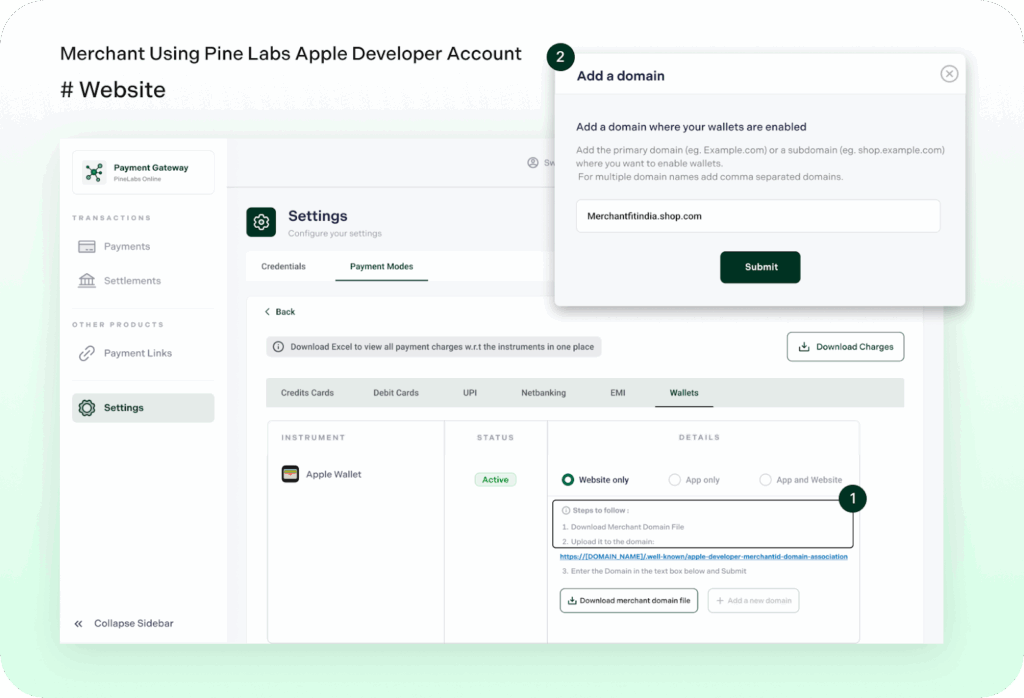
If you choose to use the Pine Labs Online Apple Pay developer account for Web flow, complete the steps below using our dashboard.
iOS SDK
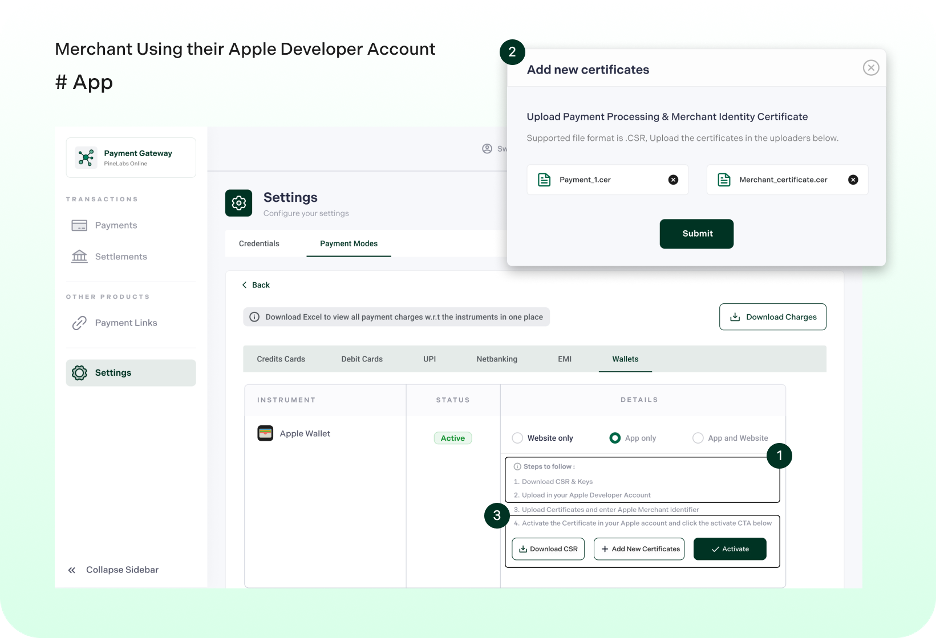
Pine Labs can decrypt the token on your behalf using your Apple Pay developer account certificates. You can enable this by integrating through either of the following:
- iOS Native SDK – Refer to our SDK documentation to learn more.
- Apple Pay SDK (Standalone) – Refer to our Apple Pay SDK (Standalone) documentation to learn more.
If you choose this integration, complete the steps below
- Register an Apple Merchant ID
- Create the Payment Processing Certificate
- Create the Merchant Identity Certificate
Transaction lifecycle: what happens after the tap
From a system perspective, Apple Pay transactions follow the same lifecycle as other cross-border payments:
- Tokenized payment data is authorized via the acquirer
- Risk checks are applied by Pine Labs within the same transaction flow
- Transactions are settled to merchants in INR
- Refunds follow the same post-authorization workflows.
- Apple Pay does not fork the transaction lifecycle. This was a deliberate design decision to avoid operational divergence at scale.
Dashboard and observability
Operational visibility is where many wallet integrations break down.
Across all integration models:
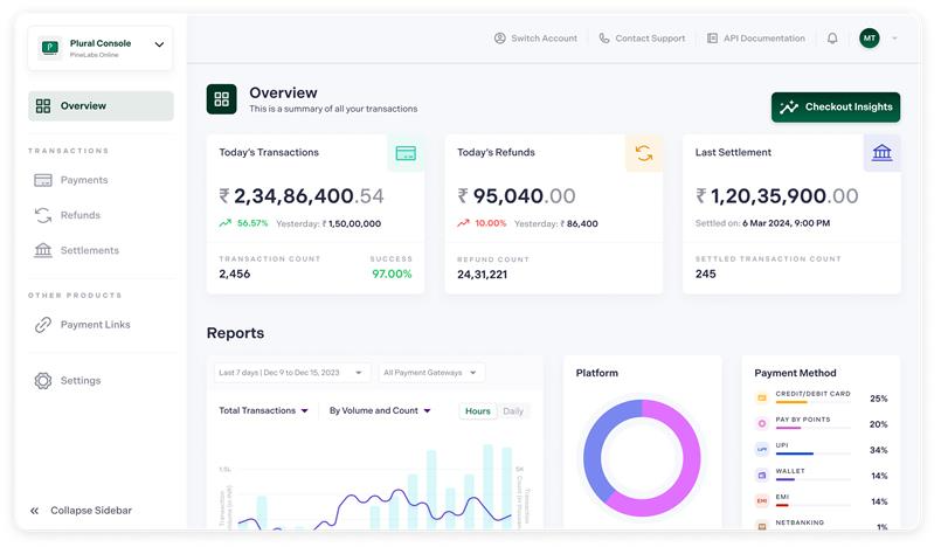
- Apple Pay transactions appear alongside other international payment modes
- Refunds are initiated through the same interfaces
- Settlement and reconciliation reports remain consolidated
This ensures that finance and operations teams do not need Apple Pay-specific tooling.
Why this matters for merchants selling globally
Apple Pay is not an additional payment option. It is a way to:
- Align checkout behavior with global user expectations
- Remove network dependencies & manual details entry for authentication
- Preserve compliance and settlement predictability
For merchants, this means global expansion without rebuilding payment infrastructure.
Getting started
For merchants expanding internationally, Apple Pay is less about adding a payment method and more about removing the friction that limits cross-border growth. As international traffic grows, small checkout inefficiencies translate into material revenue loss. Apple Pay addresses these at the system level.
If you are evaluating Apple Pay for international customers, the first step is choosing the integration model that aligns with your business preferences – hosted checkout, SDK-based integration, or direct integration.
For teams planning production rollout or evaluating enterprise integrations, our solutions team can help assess the right model based on your checkout architecture and compliance posture.To enable Apple Pay for your cross-border payments, reach out to us at plonline@pinelabs.com